lowos

An operating system built from nothing, and kept low.

LowOS is a 64-bit operating system written from scratch, with its own kernel, desktop and apps. It's made to feel quick on a modest laptop, the kind with 2 GB of memory.

Runs in a virtual machine and has booted on one real 2 GB laptop (HP Stream x360 11-aa, Celeron N3060).

The trailer: 80 seconds, with sound. Every picture in it and on this page is LowOS itself, captured in a virtual machine.
1.2sfrom LowOS starting to its desktop
106MBof memory in use with the desktop open
74,000linesof its own code, not counting tests or outside libraries
1personwriting it, in their spare time

Measured on LowOS in the QEMU virtual machine, November 2026.

Real hardware

Tested on one real laptop

HP Stream x360 11-aa laptop, Intel Celeron N3060, 2 GB RAM, 32 GB storage. It is my only real test machine, and my development machine too.

  • Works on it: the screen, the touchpad, the keyboard and shortcuts, sound, Freedoom and ClassiCube.
  • Does not work yet: USB sticks plugged in while it runs, the SD card slot, Wi-Fi, the touch screen.
  • Boot time on this laptop: about 2–3 seconds.

The 1.2 s boot and 106 MB memory numbers on this page were measured in QEMU, a virtual machine.

Download

Try the LowOS alpha

LowOS is free. This is an early alpha: it works, but it has bugs. The safest way to try it is in a virtual machine.

Download for a virtual machine

Not published yet. The first release will appear here.

Real hardware: I have tested LowOS on only one laptop. It runs from the USB stick and does not touch your computer's disk, unless you run its Installer app. Do not use it on a computer with data you can't lose.

Download USB image

Not published yet. The first release will appear here. Write the image to the stick with Rufus in "DD Image" mode, or with dd.

Run it in 3 steps (virtual machine)

  1. Download the file above. Optional: check that its SHA-256 matches.
  2. Install QEMU (free, qemu.org). Give the virtual machine at least 2 GB of memory.
  3. Run this, in the folder you saved the file in:
    qemu-system-x86_64 -M q35 -m 2G -cdrom lowos-alpha-0.1.0.iso -no-reboot
    On Windows it starts faster with -accel whpx,kernel-irqchip=off added; on Linux, with -enable-kvm.

The desktop should appear in a few seconds.

Something broke? Report it here: LowOS2026@proton.me. Please include your computer model, how you ran LowOS (virtual machine or USB), and what you did before it broke.

Honest list

Known issues

  • LowOS has run in QEMU and on one real laptop: HP Stream x360 11-aa, Celeron N3060, 2 GB RAM, 32 GB storage. All other hardware is untested. It may not boot on yours.
  • On that laptop these do not work yet: USB sticks plugged in while it runs, the SD card slot, Wi-Fi, the touch screen.
  • Do not install it on a computer with data you can't lose.
  • Booting from a USB stick works. Plugging in a USB stick while LowOS is running does not work yet on the HP laptop.
  • No internet over Wi-Fi yet. Wired network cards only.
  • Sound works with Intel HD Audio only.
  • Graphics acceleration is not finished. 3D programs can be slow.
  • The Linux and Windows compatibility layers run many programs, not all. Known failures: World of Cars (a Flash game) does not run yet, and Red Alert 2 reaches its main menu but has not been checked past that.

Last updated: 20 November 2026

Inside

Every layer is its own

Not a skin on Linux or Windows

From the code that starts the processor to the Start menu, each part of LowOS was written for it: the kernel, the memory manager, the window manager, the file system and the apps.
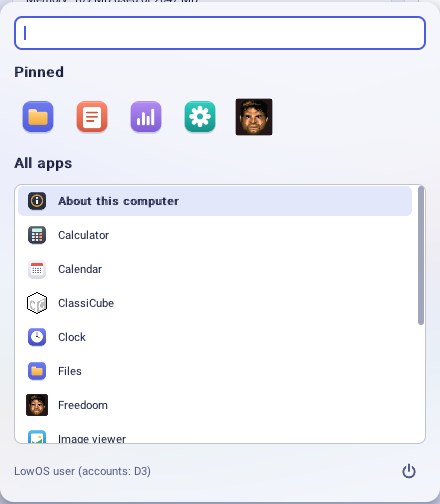
  • 64-bit kernel
  • multicore
  • own file system
  • FAT32 for USB sticks (works in QEMU; not yet on the HP laptop)
The LowOS Start menu with a search box, pinned apps and a list of all apps.

A desktop that's ready when you are

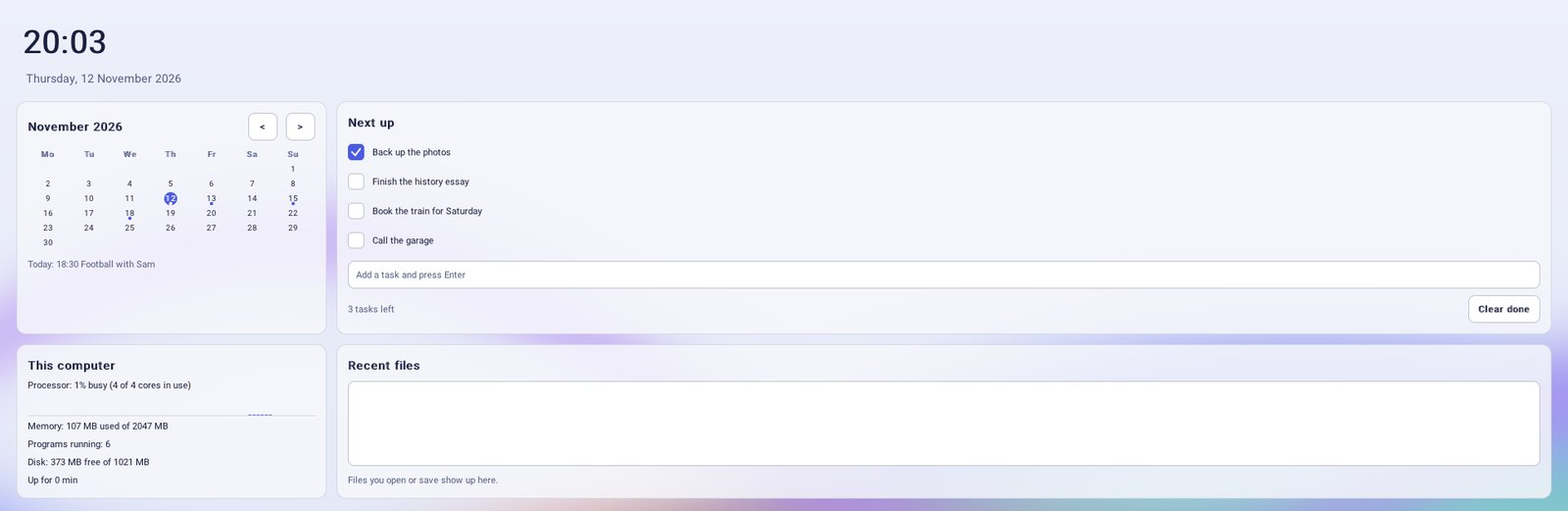
The clock, your calendar, a to-do list and how hard the computer is working, all on the desktop, with a taskbar, search and notifications.
  • Files
  • Text Editor
  • Terminal
  • Settings
  • Task Manager
  • Calendar
  • Clock
  • Notes
  • Calculator
  • Image Viewer
LowOS desktop widgets: the time and date, a month calendar, a to-do list, and a panel with processor, memory and disk use.

Your files stay yours

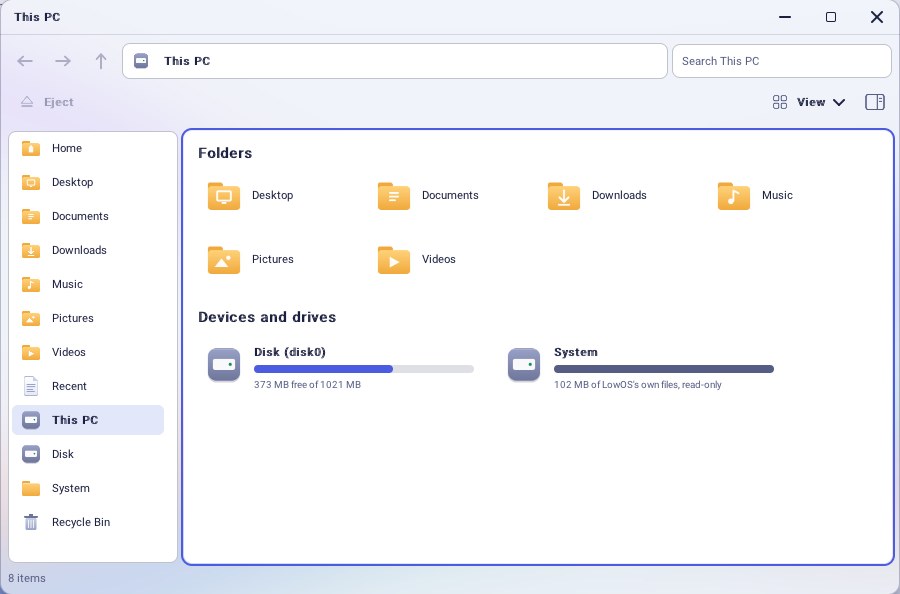
Files shows your folders and every drive with how full it is. Apps reach only their own folder until you say otherwise, and LowOS asks the first time one wants more.
  • own file system
  • app permissions
  • Recycle Bin
  • search
The LowOS Files app showing the folders Desktop, Documents, Downloads, Music, Pictures and Videos, and two drives with bars showing how full they are.

Private by design

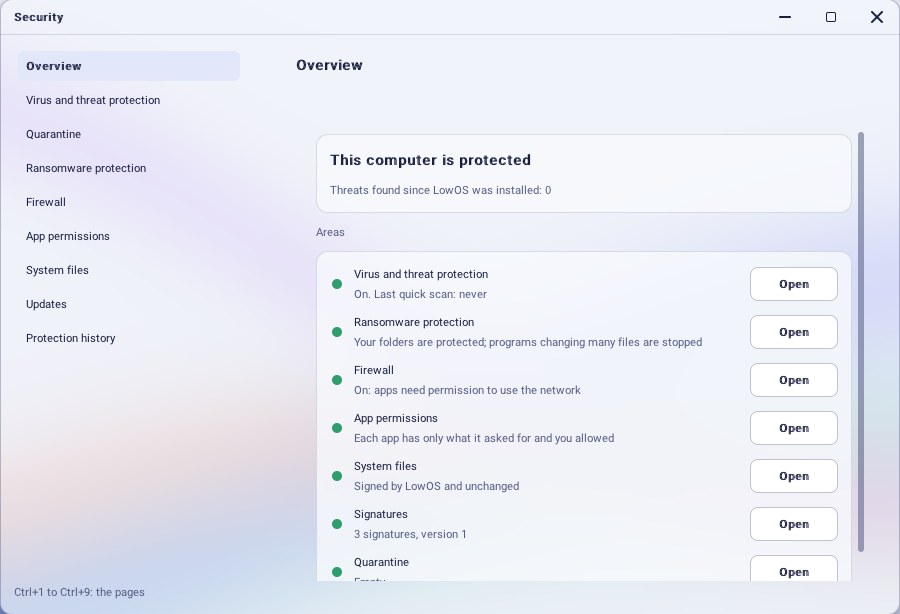
Nothing in LowOS tracks you or sells you anything. Its Security app shows what protects the computer in one list: a virus scanner, ransomware protection, the firewall, app permissions and signed system files.
  • firewall
  • ransomware protection
  • signed system files
  • sign-in & accounts
The LowOS Security app: This computer is protected, with a list of protections that are each switched on.

Nothing hidden

Task Manager lists every program that's running, with the processor, memory and disk each one uses. LowOS's own parts are in the list too.
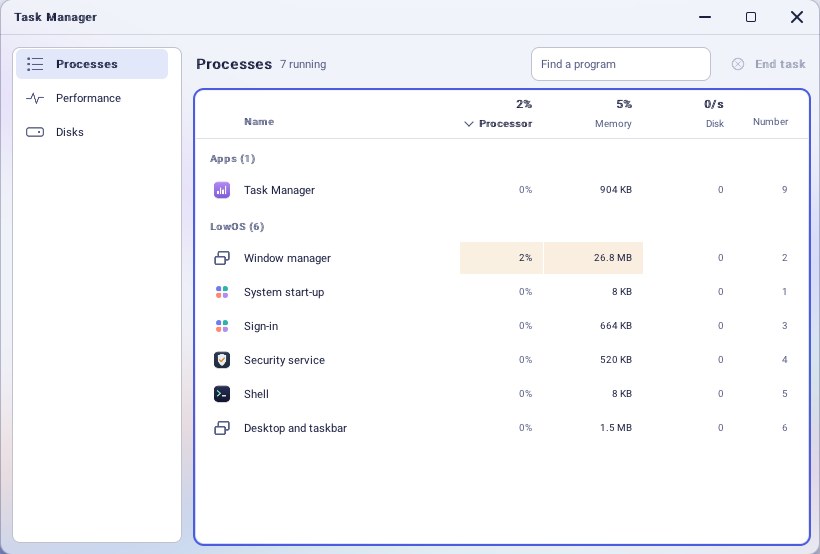
The LowOS Task Manager listing each running program with its processor, memory and disk use.

Online, with sound

Its own network stack connects over wired network cards and opens secure HTTPS sites, behind a firewall. Its sound driver mixes every app's audio, with volume keys and system sounds.

  • TCP/IP
  • DHCP & DNS
  • HTTPS
  • firewall
  • Intel HD Audio
  • sign-in & accounts

Compatibility

Runs programs it was never made for

Real Linux programs, unchanged

LowOS's compatibility layer runs Linux programs as they are, without rebuilding them. Python, Node.js, Go programs and a full MongoDB database all run on it, and talk to each other over its network.

Its Windows layer runs 64-bit and 32-bit Windows programs with their windows, 2D and OpenGL drawing and sound. Games run too: the free game Freedoom plays on the open engine ported to it.
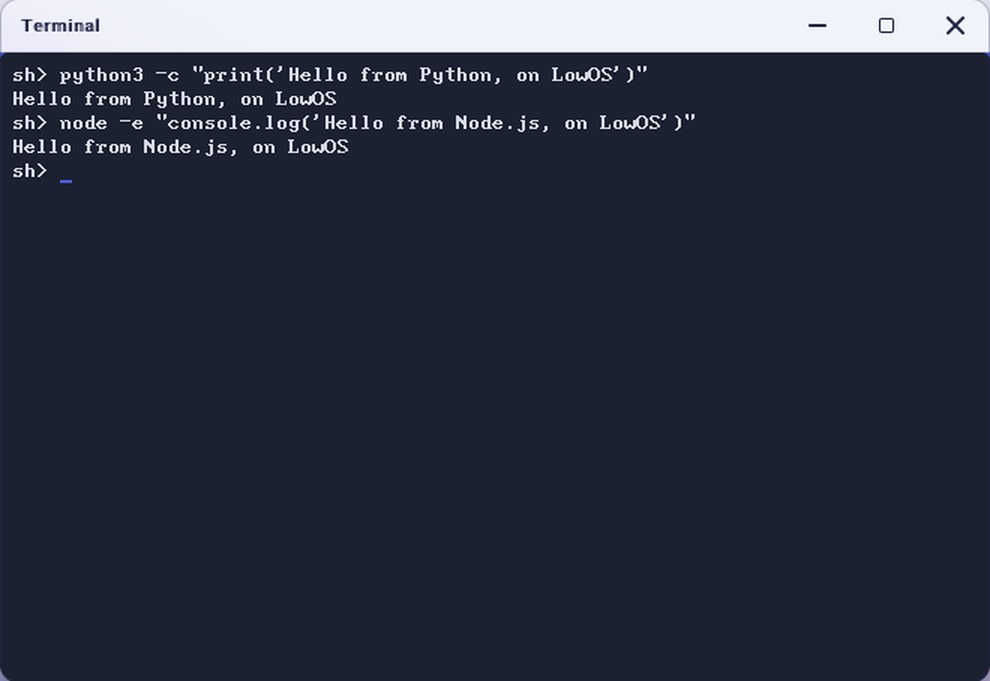
The LowOS Terminal running Python and then Node.js; each prints Hello, on LowOS.
Python 3.14standard library, threads, network
Node.js 22web servers and packages
Gonetwork servers
MongoDBa full database server

Progress

What's new

  1. Booted on real hardwareAn HP Stream x360 11-aa with a Celeron N3060 and 2 GB of memory.
  2. The trailer80 seconds of LowOS as it is today. It's at the top of this page.
  3. A new Files and Task Manager, and OpenGLThe Windows layer runs real 3D programs.
  4. The Security app, and 32-bit Windows programsVirus scanning, ransomware protection and signed system files.
  5. A quicker startThe desktop is ready 1.2 seconds after LowOS starts, measured in QEMU.
  6. Linux programs run unchangedThreads, sockets and event polling; Python is the first to run.
  7. A firewall, and a new SettingsSound and network menus on the taskbar.
  8. Online, securelyNetworking with DHCP, DNS and TCP, then HTTPS on real websites.
  9. SoundIntel HD Audio, mixed from every app, with volume keys and system sounds.
  10. Windows programs with windowsAnd the core apps: icon toolbars across Image Viewer, Text Editor, Calendar and Notes.
  11. Smooth at 1080pFast 2D drawing, so windows drag and scroll smoothly.
  12. The file manager, and app permissionsApps ask before they use what's yours.

Roadmap

Where it's going

Done

  • Desktop, windows and apps
  • Sign-in and accounts
  • Sound
  • Networking and HTTPS
  • Firewall
  • Running Linux programs
  • Running Windows programs
  • Security: scanning, ransomware protection
  • Booted on one real laptop (HP Stream x360 11-aa, 2 GB)

Now

  • Graphics acceleration
  • A Flash player, to bring old web games back
  • Testing on more real hardware

Download goals

Download goals

LowOS is free. Every time enough people download it, the next step unlocks:

  • 500I publish a full devlog and an updated roadmap.
  • 2,000I start writing Wi-Fi drivers.
  • 5,000The source code goes public.

Downloads so far: 0 / 500

Support

Help LowOS run on more hardware

LowOS is built by one student. It runs in a virtual machine and on one real laptop, an old HP Stream with 2 GB of memory, which is also my development machine. Here is what would help:

  • A better laptop: a used one is fine. It would speed up testing and let me try LowOS on newer hardware.
  • Other laptops and PCs, so I can test on more than one machine.
  • Wi-Fi and network cards, so I can write the drivers.
  • Money: coming soon.

Want to help? Email me: LowOS2026@proton.me

  • 01More real laptops and PCs to test on
  • 02Network and Wi-Fi cards to write drivers for
  • 03Time for graphics acceleration